.svg)
.svg)

.svg)
.svg)

Copied to Clipboard

Ready to get Started?


Key Takeaways
Multi-state payroll hinges on one critical principle: tax follows where work is physically performed, not where employees live or where your company is based.
Hybrid work, short-term travel, and remote relocations can trigger new tax withholding, unemployment insurance obligations, and local tax exposure, often without employers realizing it.
States are increasing audits and using AI to detect payroll inconsistencies, making accurate location tracking and integrated payroll systems essential to staying compliant in 2026.
Remote and hybrid work have made it easy to manage a team anywhere, but compliance has also become more complicated. What used to be a simple payroll run now involves applying the right tax rules for multiple jurisdictions, and staying ahead of constantly changing state and city regulations. Getting it wrong will see you contributing to the $1.2 million paid annually on multi-state payroll penalties and corrections.
If you’re planning on hiring across the U.S. in 2026, you’ll need to start preparing your team for an increasingly non-traditional payroll environment. Your team is moving more, working from more places, and creating tax exposure in ways that did not exist even a few years ago.
This guide breaks down exactly what it takes to manage multi-state payroll in the year ahead, how work location shapes your obligations, the triggers that matter, the pitfalls to avoid, and how to build a compliant setup for an increasingly mobile team. You’ll also see how Playroll keeps you ahead of multi-state rules by unifying payroll, compliance, and HR data in one intuitive platform.
How Multi-State Payroll Works In The U.S.
Multi-state payroll can feel confusing until you understand the core principle behind it: tax follows where an employee’s work is physically performed. Everything else flows from that idea. Once your team starts working across multiple states, payroll becomes an interconnected system of rules, obligations, and location-driven decisions.
Below is a clearer breakdown of how it works and why it is more complex than traditional single-state payroll.
Why Multi-State Payroll Is Not a Single Rulebook
Payroll in the United States is shaped by three layers that operate at the same time. Each layer has its own tax structure, reporting process, deadlines, and definitions of what counts as taxable work.
- Federal rules, which always apply
- State rules, which change depending on where work happens
- Local city or county rules, which can stack on top of state requirements
Your employee’s location, therefore, drives which state has taxing rights. Taxing rights determine withholding. Withholding determines your wage allocation, which in turn affects unemployment insurance. Unemployment insurance is a state-run program funded by employer contributions that provides temporary financial support to eligible workers who lose their jobs.
All of this hinges on whether your systems actually capture where work is being performed in real time. If your payroll platform only records a permanent address while employees work hybrid or remotely across state lines, it simply can’t make the right decisions. Once you view multi-state payroll through this lens, the complexity starts to feel logical.
Hiring in the U.S.? Know the Rules Before You Expand
Our state-specific hiring guides break down everything you need to know, from registrations to mandatory benefits, so you can scale without surprises.
Explore Guides
Federal vs State Layers Of Payroll Compliance
To run multi-state payroll correctly, you have to keep two layers of rules aligned at all times. Once you understand how these layers interact, it becomes much easier to see why work location matters so much.
The Federal Layer
Federal requirements apply to every employee, in every state, no matter where they live or work. This includes:
- Federal Income Tax: The IRS expects you to withhold federal income tax from all employees based on their earnings and W-4 elections. This part never changes when someone crosses state lines.
- Social Security: You must withhold the employee’s portion and pay the employer portion. These contributions fund the national Social Security program and are uniform across the country.
- Medicare: Similar to Social Security, Medicare contributions follow a set federal rate. Employee movement does not affect how much you withhold or contribute.
These federal rules are the steady, predictable part of payroll. Nothing about a move to another state’s requirements changes them.
The State Layer
This is where complexity comes in. Each state has its own set of rules that apply the moment an employee performs work within that state. These rules include:
- State Income Tax Rules: Some states tax income (Florida, Texas, Nevada, Wyoming, South Dakota, Washington, and Alaska), some do not, and each one has different brackets and withholding methods. Work performed in the state often triggers withholding obligations.
- State Withholding Requirements: Even short-term work can require you to withhold tax for that state. Requirements vary widely depending on how the state defines taxable work.
- Unemployment Insurance (UI) Programs: UI or State Unemployment Insurance (SUI) contributions differ by state. Some have very low wage bases. Others have very high ones. The correct state must be assigned or you risk penalties.
- Wage Base Limits: States set individual wage caps for unemployment insurance. Paying UI in the wrong state can cause overpayments or underpayments.
- Disability or Paid Leave Contributions: A handful of states require you to withhold or contribute to disability insurance or paid family leave programs. These rules apply based on where work occurs.
- Residency Definitions: Where an employee lives determines where they owe tax on all income. States define residency differently, which affects who gets taxing rights.
- City or Local Tax Structures: Places like New York City, Denver, and St. Louis have local taxes on top of state taxes. These local rules can be easy to miss if your system is not tracking exact work locations.
This can impact you whenever an employee works in a new location. If your system is not capturing where work is actually performed, state-level compliance falls apart quickly.
Common Situations That Create Multi-State Payroll Obligations
Multi-state payroll issues rarely come from the situations you expect. In most cases, they’re caused by normal day-to-day employee behavior that unknowingly creates tax obligations in new states. If you’re hiring across the country, managing hybrid schedules, or supporting employees who move around, you’re likely triggering these obligations without realizing it.
The key is recognizing the patterns that states pay attention to. Once you know what creates risk, you can build systems that catch these changes early instead of waiting for a tax notice to tell you something went wrong.
Below are the triggers that matter most and what they mean for your payroll responsibilities.
1. Hiring Remote Employees in New States
When you hire someone who works from a state where you don’t currently operate, you almost always need to:
- Register for state income tax withholding
- Register for State Unemployment Insurance (UI)
- Identify any local or city-level taxes
- Update your payroll system to reflect the new work location
Even if you don’t have an office there, the state still considers your employee’s work taxable. This is one of the most common triggers for new compliance requirements.
2. Short-Term Relocations and Temporary Moves
Remote team members often spend a few weeks or months living somewhere else, possibly to visit family, escape the winter, or work near a client. Even short stays can create:
- New state withholding requirements
- State unemployment obligations
- Local city tax exposure
- New employee documentation needs
Some states require you to start withholding after only a short period of in-state work. For example:
- Maine requires withholding once a nonresident employee works more than 12 days and earns over $3,000 in Maine-source income within the year.
- Georgia requires withholding for non-resident employees after more than 23 days of work in the state (or if they earn more than $5,000 or 5% of total income in Georgia).
- Utah applies a 20-day threshold before employers must withhold for nonresident employees.
- North Dakota also uses a 20-day threshold for nonresident employee withholding.
- Several states – including Illinois, Vermont, West Virginia, and Louisiana – are commonly cited as having thresholds around 30 days (Louisiana at 25 days; the others at 30), though the exact rules may vary slightly by income level or specific state guidance.
When to Bring in the Experts
If you’re hiring across multiple states, you need a partner that can blend in-country tax intelligence with real human guidance so your U.S. payroll stays accurate and compliant.
Book a Demo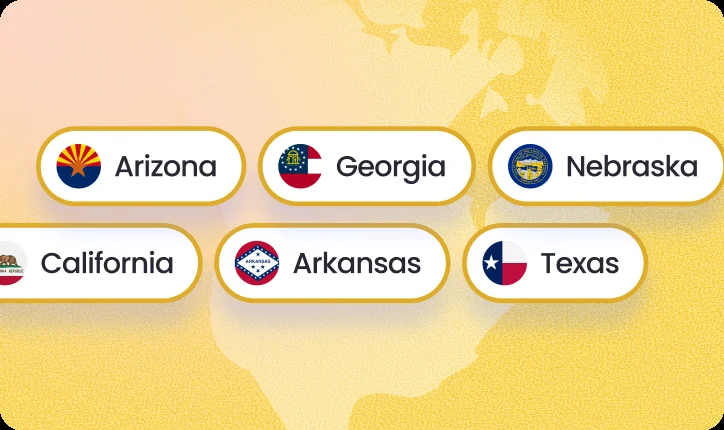
3. Hybrid Work Patterns Across State Lines
Hybrid work is the trigger that surprises employers the most. When someone splits time between two states, even if it’s only one or two days a week, each state has a legal claim to tax the work physically performed within its borders.
Payroll rules follow the same logic that many tax and labor laws follow: if you perform work in a state, that state considers it taxable activity.
Why States Care About Even a Few Days of Work
When one of your team members is based in another state and works, even briefly, they are:
- Using that state’s public services
- Working under that state’s labor protections
- Generating economic activity within that state
- Creating a potential “tax base” that the state wants a share of
From the state’s perspective, any work performed within its borders counts as taxable wages earned in that state. It does not matter if the employee:
- Lives in a different state
- Works there most of the time
- Has their employer based somewhere else
- Is only there two days a week
Those two days still represent income earned in that second state. This is why you often need to allocate wages based on where work is performed.
How Hybrid Work Triggers Tax Withholding
If an employee works:
- Three days in their home state
- Two days in a neighboring state
Then roughly 40% of their workweek is happening in the second state. That portion of their wages is considered taxable there. The employer may then be required to:
- Register with that state’s tax agency
- Withhold income tax for that state
- Contribute to that state’s unemployment insurance
- File quarterly payroll returns there
This rule applies even when hybrid schedules seem casual or flexible, because payroll rules follow physical presence, not intention.
Why Border Regions Get Complicated
Certain regions make this almost unavoidable because employees naturally cross borders as part of daily life:
- New York and New Jersey
- Illinois and Wisconsin
- Maryland and Washington D.C.
- Pennsylvania and Delaware
In these areas, it’s extremely common for someone to live in one state, work part of the week in another, and move fluidly between the two. That means payroll has to reflect how work is split – even if employees do not see their schedule as “multi-state.”
4. Business Travel by Executives or Sales Teams
Business travel creates a completely different kind of payroll and tax exposure from hybrid work. The key factor is the work an employee performs while temporarily in another state. Even brief visits can matter because many states tax the activity performed, not the duration of the stay.
Here is what states pay attention to:
- Client-Facing or Revenue-Generating Work: Activities like pitching, negotiating, closing deals, or leading sales meetings are considered taxable work performed inside the state.
- High-Impact Executive Activity: Executive site visits, investor meetings, due diligence assessments, or strategy sessions can establish a meaningful business presence for the company in that state.
- On-Site Services or Project Work: If one of your team members provides hands-on work such as implementation, troubleshooting, or consulting while visiting a state, the state counts that as work performed within its borders.
5. Converting Contractors to Employees
Contractors becoming W-2 employees is one of the easiest ways for compliance issues to slip through the cracks. The worker may not change their location or their day-to-day work at all, but your legal and payroll responsibilities change immediately. With this comes a greater risk of misclassification and consequent legal and financial penalties.
Here’s what actually happens:
- You become responsible for withholding taxes: As soon as the worker becomes an employee, the state where they perform work expects you to begin withholding state income tax from their pay.
- You must register as an employer in their state: Even if you already paid them as a contractor, you now need an active employer account for state tax withholding and unemployment insurance in the state where they work.
- You must contribute to State Unemployment Insurance: Unemployment insurance applies to employees, not contractors. Each state has its own wage base and rates, so the shift can create immediate compliance needs.
- You must classify and report them correctly on payroll: W-2 wages come with different rules, different filings, and different reporting obligations than 1099 income.
Want to bring your contractor onboard fulltime?
Make contractor-to-employee transitions seamless and compliant with Playroll’s end-to-end contractor conversion services.
Explore Our Solutions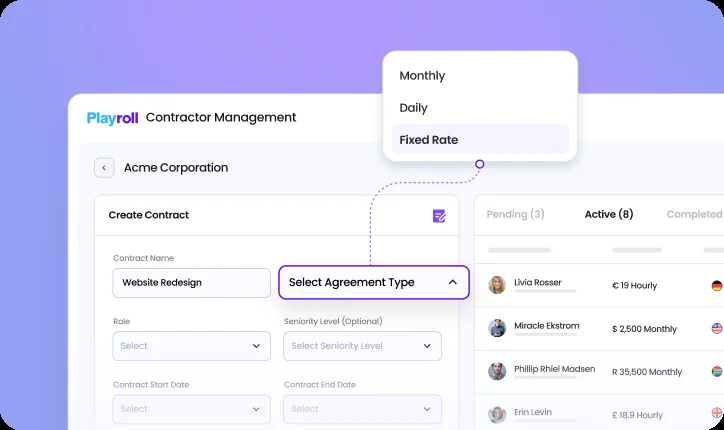
Why Companies Miss This:
The worker’s location does not change, so the shift feels administrative. But legally, you go from having no tax responsibility to having several new obligations at once. If you don’t update your state registrations and payroll setup in time, the state will flag it quickly.
Why Multi-State Payroll Works Differently In 2026
States are paying much closer attention to remote and hybrid work, and many are still adjusting their rules to recapture tax revenue that shifted during the pandemic. One of the biggest pressure points right now is unemployment insurance (SUI).
Unemployment Insurance (SUI)
During and after COVID, unemployment claims drained state trust funds. Several states exhausted their reserves and had to borrow billions from the federal government to keep benefits flowing. Now they’re rebuilding those funds, primarily by increasing what employers are required to contribute.
What’s actually changing:
- Over 30 states raised SUI wage bases or rates in 2024-2025
- Colorado jumped from ~$20,000 → $27,200 taxable wage base
- Iowa scrapped its sliding scale and capped the maximum rate at 5.4% (a big increase for many)
- Only 19 states currently meet federal solvency standards (down from 31 pre-pandemic)
The 2026 Reality Check
Legacy spreadsheets and manual processes are slowly being replaced by automated audits. States and the IRS now use AI that detects anomalies in real time. One mismatched day count or withholding amount can trigger an automated audit notice before you even file.
What leading companies are doing instead:
- Deploying integrated multi-state payroll and tax platforms
- Turning on real-time compliance visibility across all jurisdictions
- Using built-in AI alerts that flag issues the moment they happen
- Automating filings and day-tracking to eliminate human error
The rules are being enforced with technology that didn’t exist three years ago. The margin for error has never been smaller, and the penalties have never been larger.
Common Multi-State Payroll Mistakes
Running payroll across multiple states sounds straightforward until you realize every state has its own rulebook. At Playroll, we’ve watched hundreds of growing companies get hit with penalties, angry employees, and surprise audit notices simply because the little details slipped through the cracks.
Almost all of these issues stem from the same root cause: not knowing exactly where work is actually happening. Below are the eight mistakes we see most often, so you know what to avoid.
5 Steps To Setting Up Multi-State Payroll Compliantly
As teams move, travel, and work from anywhere, state tax rules activate instantly. To stay compliant in 2026, you need a process built around mobility, accuracy, and real-time data.
These five steps give you a practical, operational playbook you can rely on.
Step 1: Map Where Work Actually Happens
Multi-state compliance starts with knowing exactly where your people work. That means tracking permanent addresses, short-term stays, hybrid schedules, and business travel. If location data is incomplete, every downstream payroll calculation is at risk.
Step 2: Register Early, Never After The Fact
States expect timely registration for withholding and unemployment. Delays trigger avoidable penalties and processing backlogs. Register as soon as you know an employee will perform work in a new state, even if their presence is temporary.
Step 3: Automate What Is Predictable and Actively Monitor What Is Not
Automation should resolve most recurring payroll tasks – tax rate changes, filing deadlines, and routine calculations. But mobility introduces edge cases that still require human oversight. Build workflows that surface exceptions early so your team can intervene before payroll runs.
Step 4: Integrate HR, Payroll, and Tax Data
Fragmented systems create inconsistent employee records and mismatched state tax logic. When HR, time tracking, and payroll do not sync, compliance gaps appear. A unified data foundation ensures every update – location, hours, status – flows into payroll correctly.
Step 5: Conduct Quarterly Compliance Reviews
Quarterly audits give you the chance to validate registrations, reconcile work locations, review taxability, and confirm that state-specific rules are being applied correctly. Catching small discrepancies early prevents year-end surprises and costly exposure.
Multi-State Payroll Processing Checklist (Before You Run Payroll)
Before you hit “submit,” confirm that:
- You are registered for state withholding and unemployment in every state where your team is carrying out any work function.
- All employee addresses and work locations are current and validated.
- Any local, city, or county tax accounts are active where required.
- Residency certificates are collected for states with reciprocity, and employees understand how residency impacts where they owe tax. Without this certificate, payroll systems default to taxing the work state, which can create unnecessary withholding, require employee refunds, and trigger employer corrections.
- You’ve captured relocations, hybrid schedule changes, and travel that affect tax sourcing this pay period.
This checklist safeguards you from the most common (and most expensive) multi-state payroll errors.
Running Multi-State Payroll Doesn’t Have To Be Complex
Even though many employers are pushing for a return to the office, hybrid and remote work remain widespread and people are still moving between locations. In fact, as of 2025, only about 27% of companies are expected to return to fully in-person working models, while the majority continue offering hybrid flexibility.
That means your workforce’s physical work locations can remain fluid and state tax agencies continue enforcing withholding and compliance rules. You need a payroll system that understands employee mobility and adapts in real time.
Playroll brings HR data, state tax rules, and payroll processing together in one unified system. Instead of stitching together spreadsheets or manually updating addresses, you get automated logic that follows your people and applies the correct rules every time.
If you’re preparing for 2026 and want to eliminate surprises, reduce compliance risk, and support a distributed or hybrid team, book a demo with our team today.

ABOUT THE AUTHOR
Jaime Watkins
Jaime is a content specialist at Playroll, specializing in global HR trends and compliance. With a strong background in languages and writing, she turns complex employment issues into clear insights to help employers stay ahead of the curve in an ever-changing global workforce.
Multi-State Payroll Processing FAQs
When does an employer need to register for payroll in another state?

.png)
You need to register for payroll in another state as soon as you have an employee performing work there, even if it’s temporary. Once someone works in that state, you’re responsible for withholding tax and setting up unemployment insurance.
How do state income taxes work for employees who live and work in different states?
State income taxes work based on where your employees actually perform the work, not just where they live. If your employee lives in one state and works in another, you usually withhold for the work state unless a reciprocity agreement says otherwise.
What if an employee works in two different states?
If your employee works in two different states, you need to split their wages and taxes based on the time they spend working in each location. You’re also responsible for registering for withholding and unemployment in every state where they perform work.
What are the penalties for not registering in a state where you have employees?
The penalties for not registering in a state where you have employees can include back taxes, interest, fines, and amended payroll returns. Some states also add penalties for failing to set up unemployment insurance or missing local tax filings.
When should companies escalate multi-state payroll compliance decisions to local experts?
Escalate before market entry, contract template changes, or complex exits, and whenever facts are unclear, so local counsel and tax specialists can validate obligations and reduce enforcement risk.

Back to Top
.svg)








.svg)