.svg)
.svg)
.svg)

.svg)
.svg)

Copied to Clipboard

Ready to get Started?

.png)
Key Takeaways

Multi-country hiring, mixed worker types, and faster regulatory changes have made payroll harder to manage – even for smaller teams.

The real value of payroll outsourcing comes from error-free pay runs, up-to-date compliance, and fast, knowledgeable support when issues arise.

Payroll needs vary widely by company size, geography, and growth plans, making fit more important than brand name.


If you’ve ever managed payroll across more than one country, you know how quickly complexity adds up. Every new location brings different tax rules, reporting requirements, and payment expectations. In 2026, that challenge is amplified by more frequent regulatory changes, blended workforces, and higher expectations from employees who expect to be paid accurately and on time, every time.
When payroll teams are forced to spend more time tracking rule changes, managing multiple providers, or fixing preventable errors, there’s a clear financial impact. That’s usually when companies start looking at payroll outsourcing. It’s a solution that could save you up to 40% of your total payroll cost if you partner with the right provider.
To help you figure out which providers are actually worth considering, we’ve put together this guide to the 9 best outsourced payroll companies for this year. It focuses on how each one handles compliance across regions, reduces payroll errors, and ensures your team is paid accurately and on time as you grow.
TL;DR of Best Outsourced Payroll Solutions in 2026
- Playroll: Best for payroll accuracy and hands-on global support
- Paylocity: Best for mid-market teams wanting payroll plus hr in one system
- Gusto: Best for small businesses that want simple, affordable payroll
- ADP: Best for large enterprises managing payroll at scale
- Paychex: Best for small to mid-sized businesses that want compliance support
- Square Payroll: Best for small retail and service businesses using square pos
- UKG ready: Best for mid-market teams needing payroll plus workforce management
- Justworks: Best for small businesses wanting payroll with peo-style support
- Paycom: Best for businesses wanting ai-enhanced payroll and hr
Why Choose Payroll Outsourcing Solutions
Usually, the teams we speak to come to us because payroll has started taking up more time and attention than it should. What tends to change as teams grow? Complexity no longer comes from scale alone, but from geography. It’s now common to hire a handful of people across three to five different countries in a single year – often without local entities in place.
At the same time, the laws themselves are shifting faster. In 2026, we’re seeing more frequent changes around worker classification, minimum wage, statutory benefits, and pay transparency. Something that was compliant last year might fall out of date this year, and teams often only find out once there’s a correction, a penalty, or an audit to deal with.
Workforces have also become more mixed. Most companies are paying a combination of full-time employees, contractors, and project-based workers, often across multiple countries and currencies. Each group is treated differently for tax and compliance purposes, but payroll teams are expected to manage all of it in one process.
For many companies, outsourcing global payroll is a strategic move that creates reliable stability as these hiring models, regulations, and expectations continue to evolve.
How We Selected the Best Outsourced Payroll Companies
At Playroll, we spend a lot of time working with teams across different countries and seeing firsthand where payroll platforms hold up and where they struggle. To balance out my own bias, I’ve paired that experience with independent research – including customer reviews, third-party ratings, and public feedback.
Here’s what I focused on when evaluating each payroll provider.
Platform Usability
I looked closely at how easy each platform is to use day to day. That means clean interfaces, sensible workflows, and integrations that actually work with HR and accounting systems. Payroll tools need to scale with the business – whether you’re paying a handful of employees or running payroll across multiple countries – without adding more manual work as things get more complex.
Compliance & Regulatory Expertise
Compliance is non-negotiable in global payroll. I evaluated how well each provider keeps up with changing tax rules, labor laws, and reporting requirements across different regions. Strong data protection, clear compliance processes, and up-to-date regulatory coverage were essential – especially for companies hiring in countries where rules change frequently.
Quality of Customer Support
Payroll issues are time-sensitive, so support matters more than most teams expect going in. So, I looked at how responsive providers are when something goes wrong, what kind of ongoing support and training they offer, and whether customers can actually speak to someone who understands local payroll when they need help.
Payroll Accuracy & Reliability
Finally, I looked at how these platforms perform in the real world. That included user feedback from G2, Trustpilot, and Capterra, as well as industry recognition and third-party audits where available. A strong track record matters – especially when payroll accuracy affects employee trust and financial reporting.

9 Top Payroll Outsourcing Companies
Based on the criteria above, I’ve put together a shortlist of the payroll outsourcing companies best equipped to handle the realities of global payroll in 2026. It focuses on providers that consistently deliver accuracy, reliability, and compliance at scale – especially for companies hiring across multiple countries.
1. Playroll: Best For Payroll Accuracy and Hands-on Support
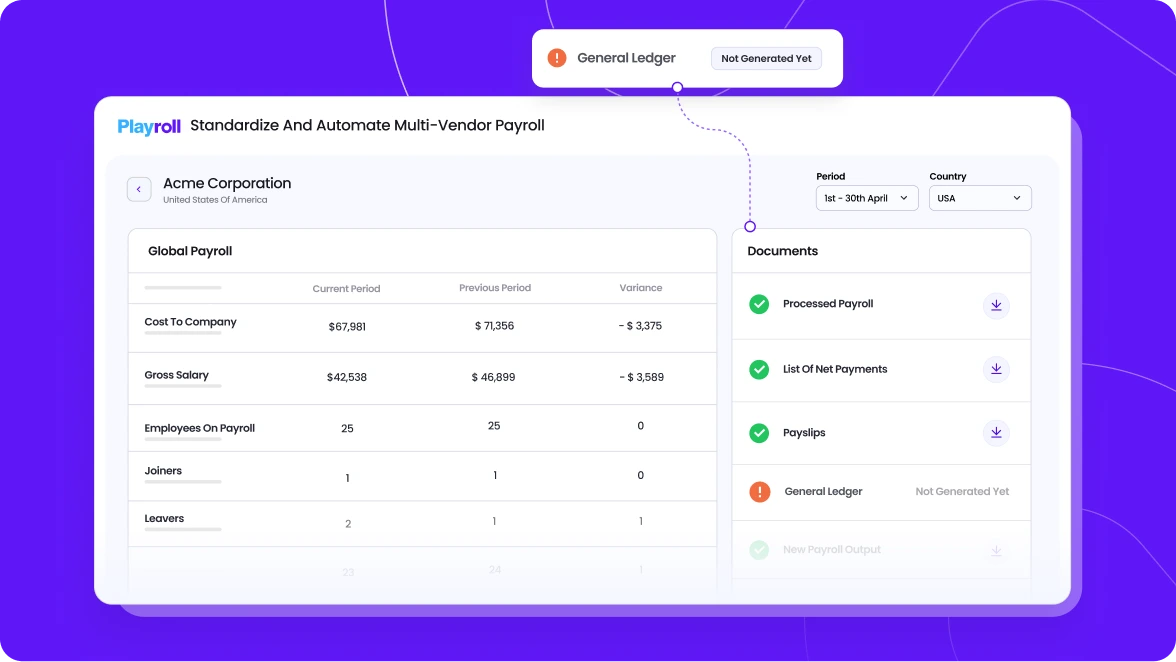
Playroll is built for companies running payroll across multiple countries that need reliable, timely payments to their global team. We focus on getting payroll right every cycle – especially in complex, cross-border environments where errors tend to happen most frequently. A key difference is that Playroll’s team is made up of local experts, giving us direct control over payroll runs rather than relying on layers of local partners.
That control shows up in day-to-day execution. Payroll is processed within local time zones, issues are resolved without waiting on intermediaries, and changes can be handled quickly when something needs attention.
Combined with our Global Payroll Reporting & Analytics platform, this allows teams to consolidate payroll data from multiple sources, keep existing vendors where needed, and still run payroll with consistency, visibility, and confidence. Dedicated client and employee support teams are included, so questions are handled by people who understand the local context and payroll rules.
Key Features Overview
- Automated Local Compliance & Payroll Processing: In-house expertise and built-in compliance tools help ensure pay runs are accurate and up to date with shifting local tax and labor regulations.
- Payroll Data Consolidation: Consolidate payroll data from multiple sources and run payroll confidently across countries without replacing your existing systems.
- Orbit (Ai-Powered Payroll Support): Playroll’s HR-GPT assistant gives real-time answers to payroll questions, helping teams and employees understand pay details, compliance nuances, and workflow steps quickly and accurately.
- Dedicated Human Support For Clients & Employees: Access real payroll experts – not bots – who understand local rules and time-zone dynamics, helping resolve issues quickly and reduce operational friction.
- Unified Reporting & Analytics: Get transparent insights into payroll costs, trends, and compliance status across regions, so your finance and people teams can make decisions with confidence.
- Flexible Integrations With HR & Finance Systems: Sync with leading HR and accounting platforms to eliminate manual data entry and keep payroll aligned with your broader tech stack.
Global Payroll Pricing
Starting at $10 per employee per month.
Pros
- Timely, compliant payroll processing for global teams
- Real-time currency management and conversion features for global payroll.
- Easy visibility over global payroll data with real-time analytics
- Advanced automation for payroll tasks across over 180 countries.
- Built-in compliance features with digitized audit trails.
- Access to knowledgeable customer support for businesses of all sizes.
- Dedicated support available at no extra cost.
Cons
- Limited integration options with third-party HR tools, though more options are always being added.
Run Global Payroll with Accuracy and Control
Playroll’s Global Payroll Services are built for teams that want to outsource payroll without losing visibility or control. We manage payroll execution across countries while consolidating your data into a single system.
Book a Demo
2. Paylocity: Best for Mid-Market Teams Looking for Payroll Plus HR in One System
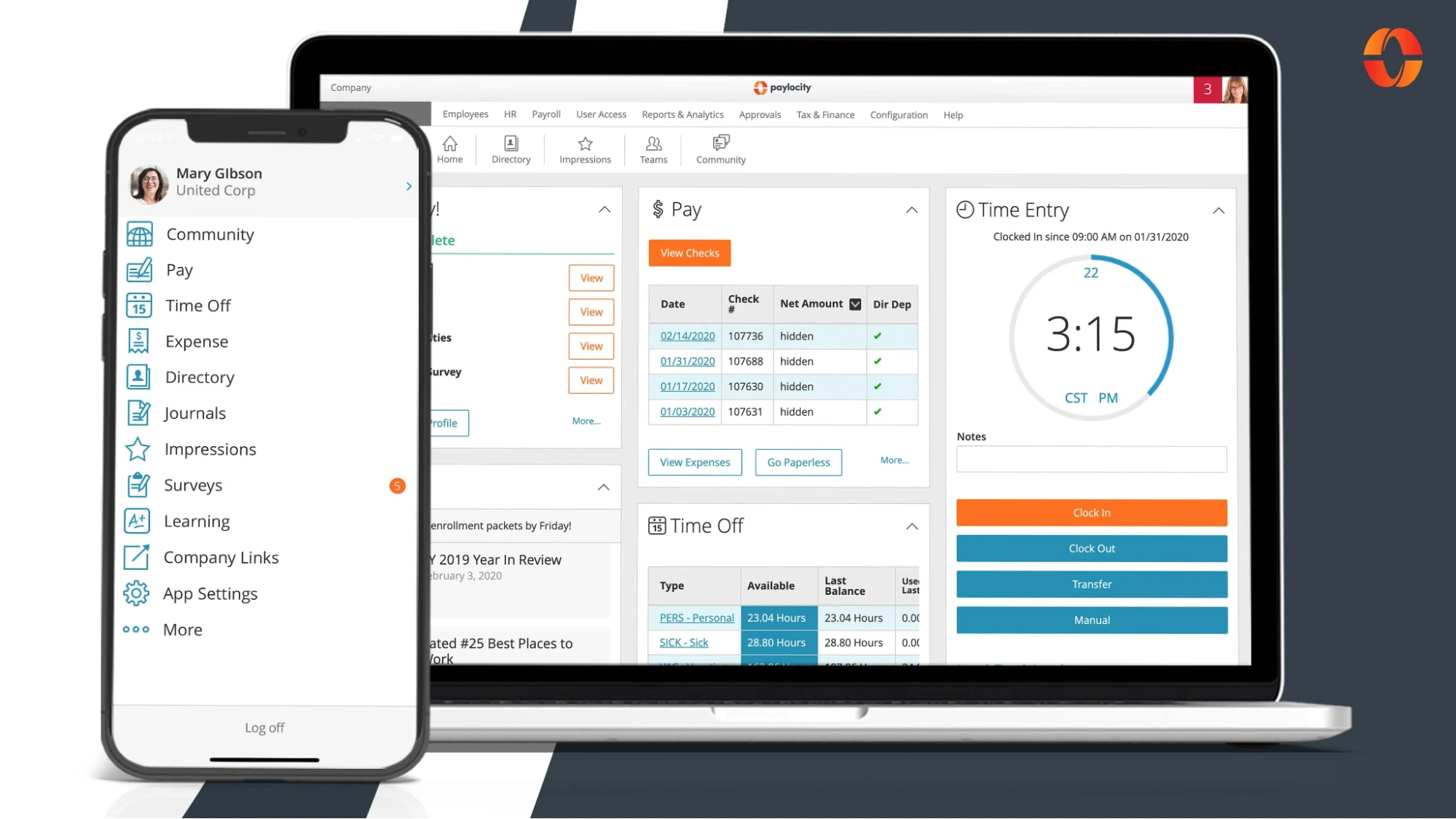
Paylocity is typically a good fit for mid-sized businesses that want payroll tightly connected to broader HR workflows like benefits, time tracking, and talent management. We usually see it used by teams that want one system to cover most day-to-day people operations rather than managing multiple tools.
That all-in-one approach is where Paylocity does well – but it also comes with trade-offs. Some teams appreciate having everything in one place, while others report friction during setup and migrations from existing providers. Based on user feedback, the platform can take time to get comfortable with, and issues like bugs, navigation challenges, or system lag tend to show up more during implementation.
Key Features Overview:
- Integrated payroll and HR platform covering benefits, time tracking, and talent tools
- Employee self-service portal for payslips, updates, and requests
- Customisable reporting and workforce analytics
- Cloud-based payroll processing with web and mobile access
- Built-in compliance tools for tax and labor regulations
Pricing:
Custom pricing based on company size and configuration – typically starts around $40 per month plus $4–6 per employee, with additional costs for add-ons.
Pros:
- Strong HR and payroll integration for mid-sized teams
- Useful reporting and analytics for workforce insights
- Mobile app improves accessibility for managers and employees
- Scales reasonably well as teams grow
Cons:
- Steeper learning curve during setup and implementation
- Pricing can increase quickly with add-ons
- Bugs and system lag reported by users
- Limited international payroll capabilities
- Inconsistent customer support experiences in reviews
3. Gusto: Best for Small Businesses That Want Simple, Affordable Payroll
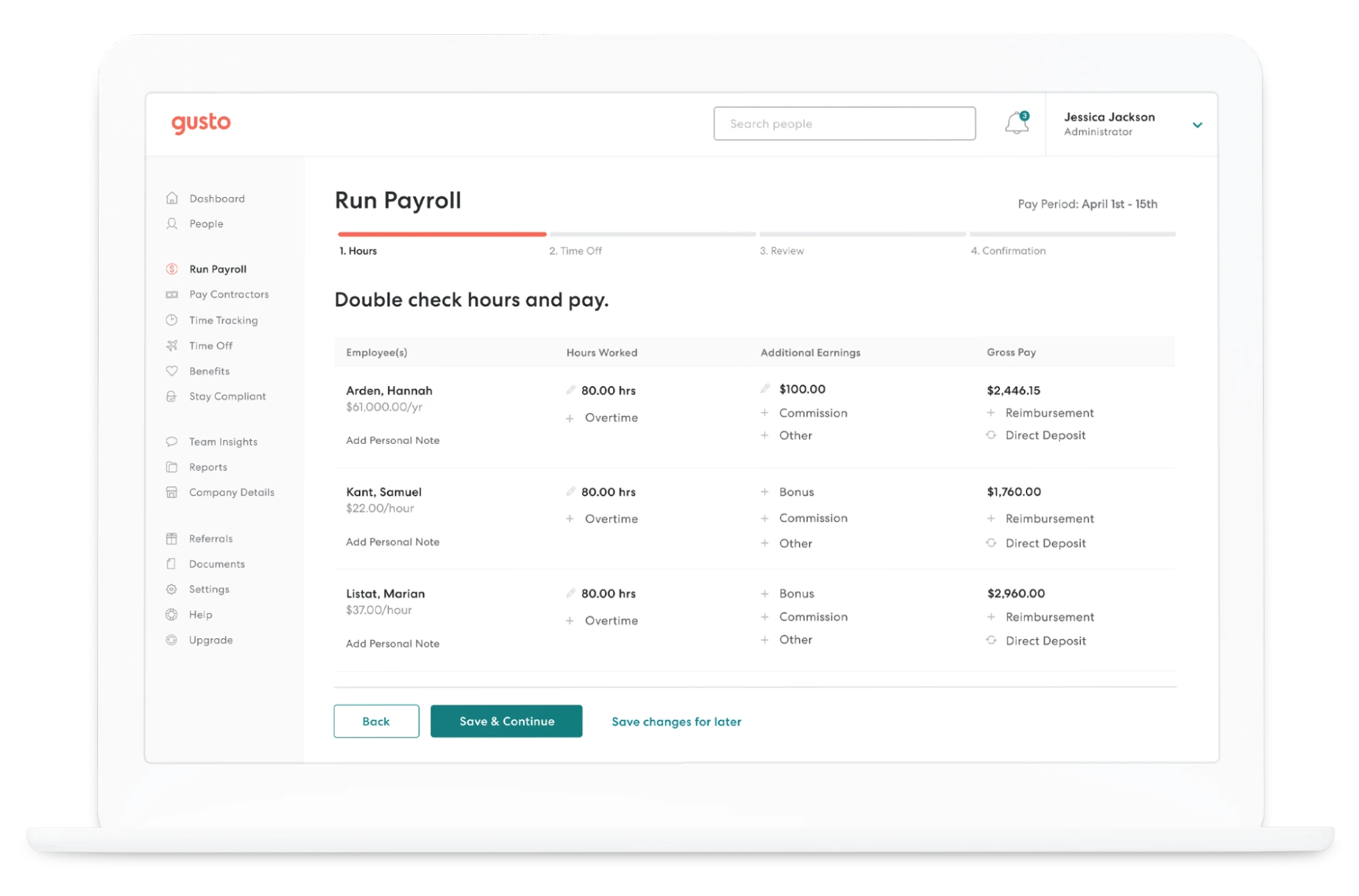
Gusto is often the first payroll platform small businesses turn to – especially startups and early-stage teams running payroll themselves. It’s designed to be easy to set up, easy to use, and relatively affordable, with payroll, tax filing, and basic HR features bundled into one platform.
Where teams tend to run into issues are things like corrections, benefits changes, or more complex setups. User reviews often mention errors in tax filings or benefits administration that require support intervention, and response times can vary depending on plan level.
Key Features Overview:
- Automated payroll processing with federal, state, and local tax filing
- Employee self-onboarding and self-service portal
- Benefits administration including health insurance and retirement plans
- Time tracking and PTO management
- Basic HR tools with compliance alerts
Pricing:
Starts at $40 per month plus $6 per employee, with higher tiers available for expanded HR features.
Pros:
- Easy to use and quick to set up
- Transparent pricing that works well for small teams
- Strong benefits offering for startups and small businesses
- Automates most U.S. tax filings
- Integrates well with tools like QuickBooks
Cons:
- U.S.-only payroll limits international expansion
- Less flexible for complex payroll or custom structures
- Support quality varies by pricing tier
- Errors in payroll or benefits sometimes require manual fixes
- Slower handling of corrections and new setups, per reviews
4. ADP: Best for Large Enterprises Managing Payroll at Scale
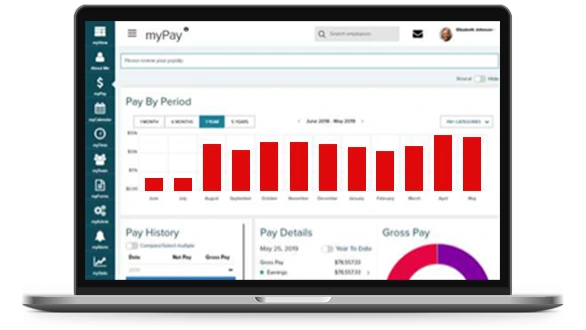
ADP is one of the most established names in payroll, and we usually see it used by large organisations with complex, high-volume payroll needs. It’s built for scale, with support for multi-country payroll, compliance tooling, and reporting designed for enterprise finance and HR teams.
That scale comes with trade-offs. While ADP is reliable once it’s fully up and running, teams often mention long implementation timelines and a steeper learning curve compared to newer platforms. User feedback frequently points to dated interfaces and inconsistent support experiences, where access to help doesn’t always mean fast resolution.
Key Features Overview:
- Global payroll capabilities with local compliance support
- Automated tax calculations, filings, and reporting
- Integrated HR and benefits administration tools
- Advanced payroll reporting and analytics
- Employee and admin mobile access
Pricing:
Custom pricing based on company size, regions, and services – typically starts around $59 per month plus $4–6 per employee, with additional fees for advanced features.
Pros:
- Built to support large, complex payroll operations
- Strong compliance coverage across multiple regions
- Scales well for enterprises with high payroll volume
- Broad integrations with HR and finance systems
- Established provider with long operating history
Cons:
- Expensive compared to simpler payroll solutions
- Lengthy setup and onboarding processes
- Interface feels dated compared to newer tools
- Support quality can be inconsistent
- Often more platform than smaller teams need
5. Paychex: Best for Small to Mid-Sized Businesses That Want Compliance Support
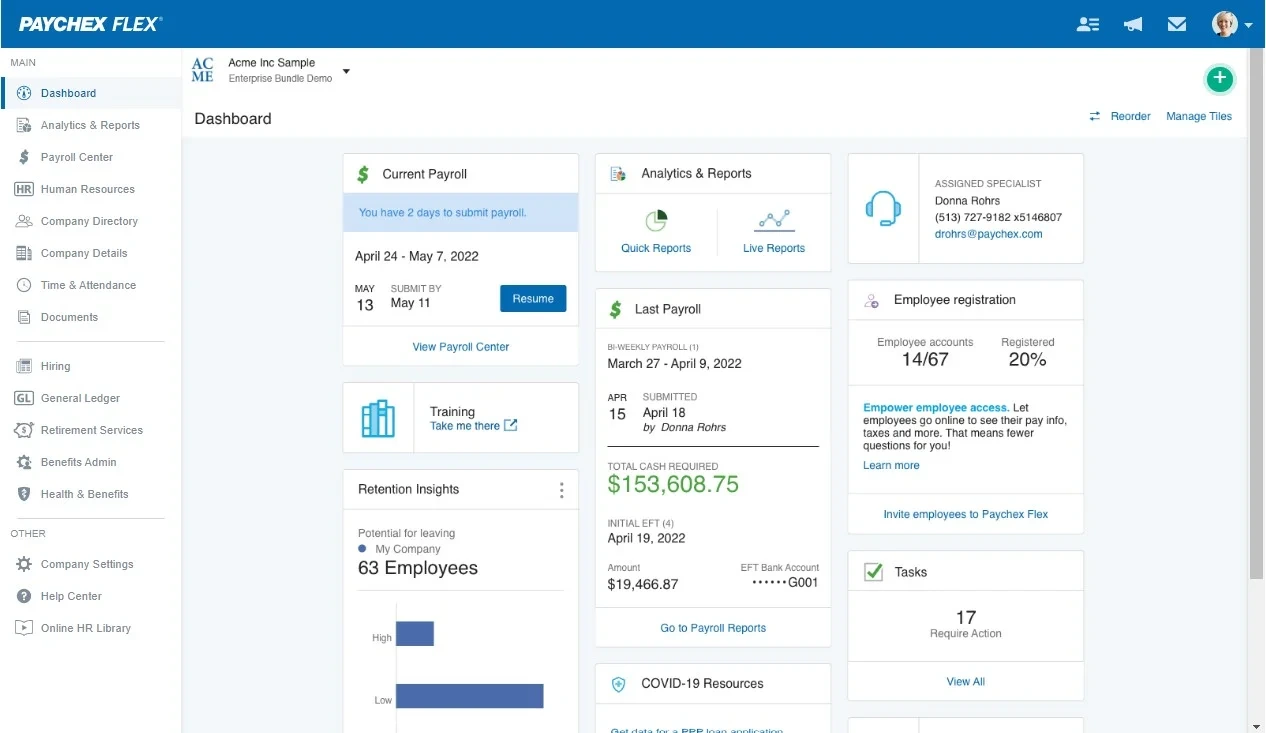
Paychex is often chosen by small and mid-sized businesses that want payroll to feel manageable and compliant without building in-house expertise. It’s widely used in regulated industries, where having guidance on tax and labor laws is just as important as running payroll itself.
In practice, Paychex works well for teams that value hands-on help, especially during setup or when navigating compliance questions. That said, user feedback is mixed when it comes to reliability. Reviews frequently mention payroll and tax errors, along with delays in resolving issues once they occur. While the platform itself is generally easy to use, support experiences vary, and costs can climb as add-ons are introduced.
Key Features Overview:
- Automated payroll processing with tax calculations and filings
- Compliance support for tax and labor regulations
- Employee benefits administration and HR tools
- Time and attendance tracking
- Mobile access for admins and employees
Pricing:
Custom pricing based on company size and services – typically starts around $39 per month plus $5 per employee, with additional costs for add-ons.
Pros:
- User-friendly payroll for small and mid-sized teams
- Strong focus on compliance and regulatory guidance
- Mobile app for convenient access
- Flexible modules to add HR and benefits features
- Broad availability across industries
Cons:
- Pricing increases quickly with add-ons
- Reports and customisation options are limited
- Support response times can be slow
- Payroll and tax errors reported by users
- Onboarding and issue resolution can take longer than expected
6. Square
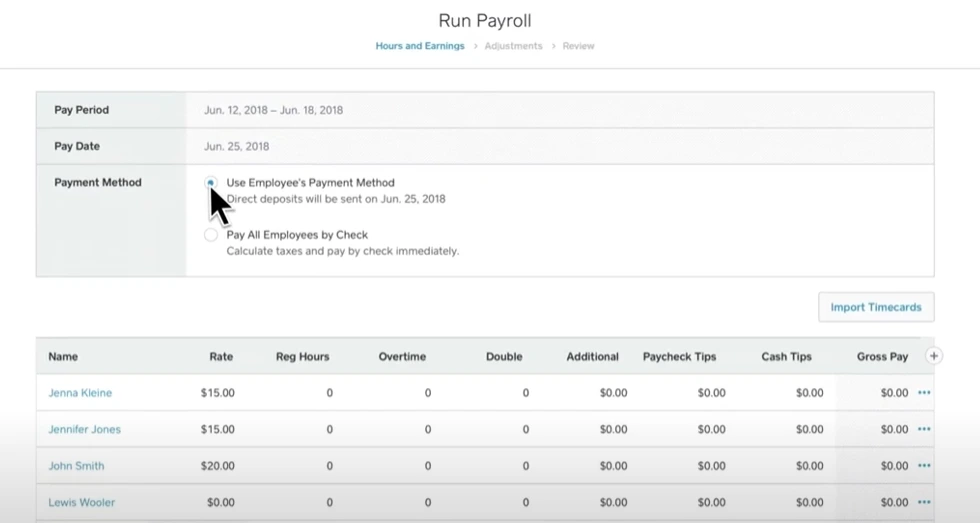
Square Payroll is usually a natural choice for small retail and service businesses already using Square for payments. For basic payroll needs, Square is easy to set up and run. Pay runs are straightforward, tax filings are automated, and the tight integration with Square POS helps reduce manual entry for wages and tips.
Where teams mention hitting limits is when payroll gets more complex. Square offers only basic HR features, minimal customisation, and limited reporting. It’s also only available in the U.S., which makes it less suitable for businesses planning to expand internationally or add more complex payroll structures.
Key Features Overview:
- Simple payroll processing for employees and contractors
- Automated tax filings and direct deposits
- PTO and time-off tracking
- Native integration with Square POS
- Basic labor cost reporting
Pricing:
$35 per month plus $6 per employee, with a 30-day free trial.
Pros:
- Seamless integration with Square POS systems
- Easy to use for hourly and shift-based teams
- Competitive pricing for small businesses
- Fast setup with minimal configuration
- Automates payroll and tax filings across U.S. states
Cons:
- Limited HR and benefits functionality
- Basic reporting and customisation options
- U.S.-only payroll
- Fewer integrations than full-service payroll platforms
- Not well suited for complex or fast-growing teams
7. UKG Ready: Best for Mid-Market Teams Needing Payroll Plus Workforce Management
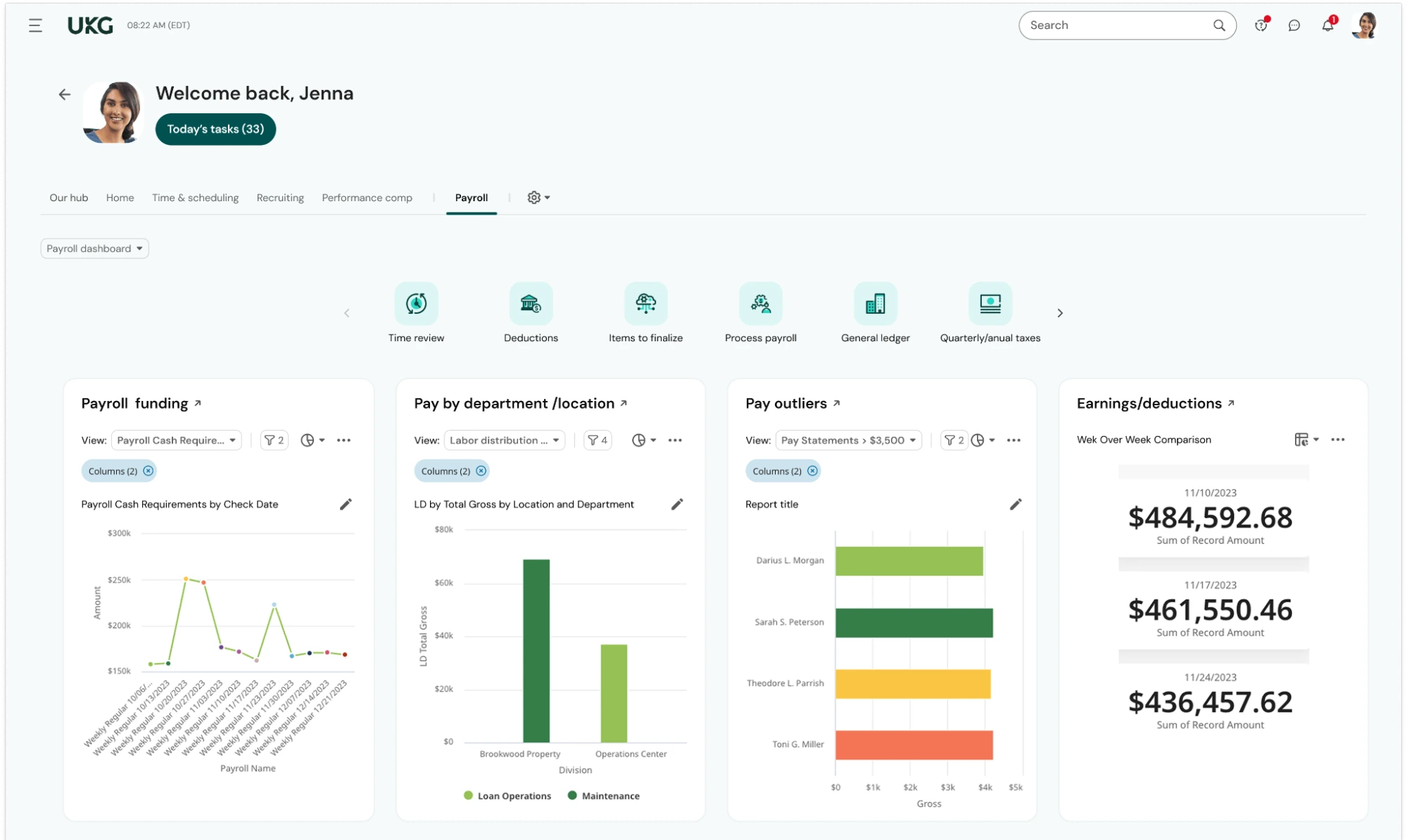
UKG Ready is built for mid-sized businesses that want payroll tightly integrated with workforce management tools like scheduling, time tracking, and compliance workflows. For teams with steady growth and structured workforce management needs, UKG Ready can bring useful visibility across payroll and HR.
Users appreciate the depth of its scheduling and compliance features, especially in industries like healthcare and retail where managing shifts and labor rules matters. That said, it’s a more complex system to implement and maintain, and reviews often point to a steeper learning curve.
Key Features:
- Integrated payroll and workforce management
- Time tracking and scheduling tools
- Employee self-service options
- Automated compliance with tax and labor regulations
- Analytics on payroll and labor trends
Pricing:
Custom pricing based on business size and configuration.
Pros:
- Broad set of tools linking payroll with workforce management
- Strong compliance support for regulated environments
- Detailed analytics for labor costs and trends
- Scales well for mid-market needs
- Integrates with HR and accounting systems
Cons:
- Steep learning curve for implementation and customisation
- More complex than basic payroll platforms
- Higher cost compared to simpler tools
- Support experiences vary by customer case
- Not ideal for small businesses with basic payroll needs
8. Justworks: Best for Small Businesses That Want Payroll with PEO-Style Support
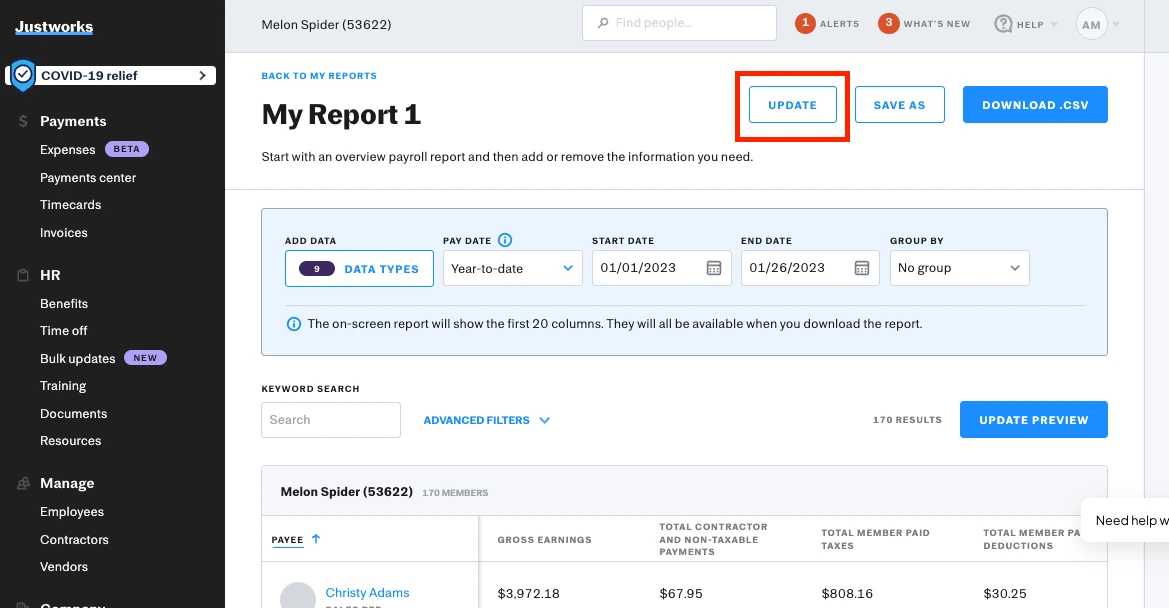
Justworks is a payroll and HR platform built around the PEO (Professional Employer Organization) model, which bundles payroll, benefits, and compliance support into a single offering. In day-to-day use, Justworks handles payroll, tax filings, workers’ compensation, and benefits administration in one place, which feels convenient for startups and service-oriented companies.
On the flip side, user feedback highlights that tax and payroll errors can still occur, and support – while available 24/7 – isn’t always as responsive or effective as teams hope during issues. Justworks works well for small businesses that prioritize bundled services and guidance, but the PEO structure isn’t the best fit for everyone – especially companies that want more control or international flexibility.
Key Features Overview:
- Payroll processing and automated tax filings
- Employee benefits and insurance administration
- Workers’ compensation and compliance support
- Integrated HR services including onboarding
- Time tracking (optional add-on)
Pricing:
Starts around $59 per month plus $8–10 per employee, depending on plan and services.
Pros:
- All-in-one payroll, HR, and compliance support
- Simplifies tax filings and benefits administration
- Dashboard is intuitive and easy to use
- Handles multi-state payroll without separate tools
- PEO support can reduce administrative overhead
Cons:
- U.S.-only payroll and services
- Support quality and responsiveness vary by case
- Tax or filing errors still reported in reviews
- PEO model limits flexibility for custom structures
- Not as scalable for international teams
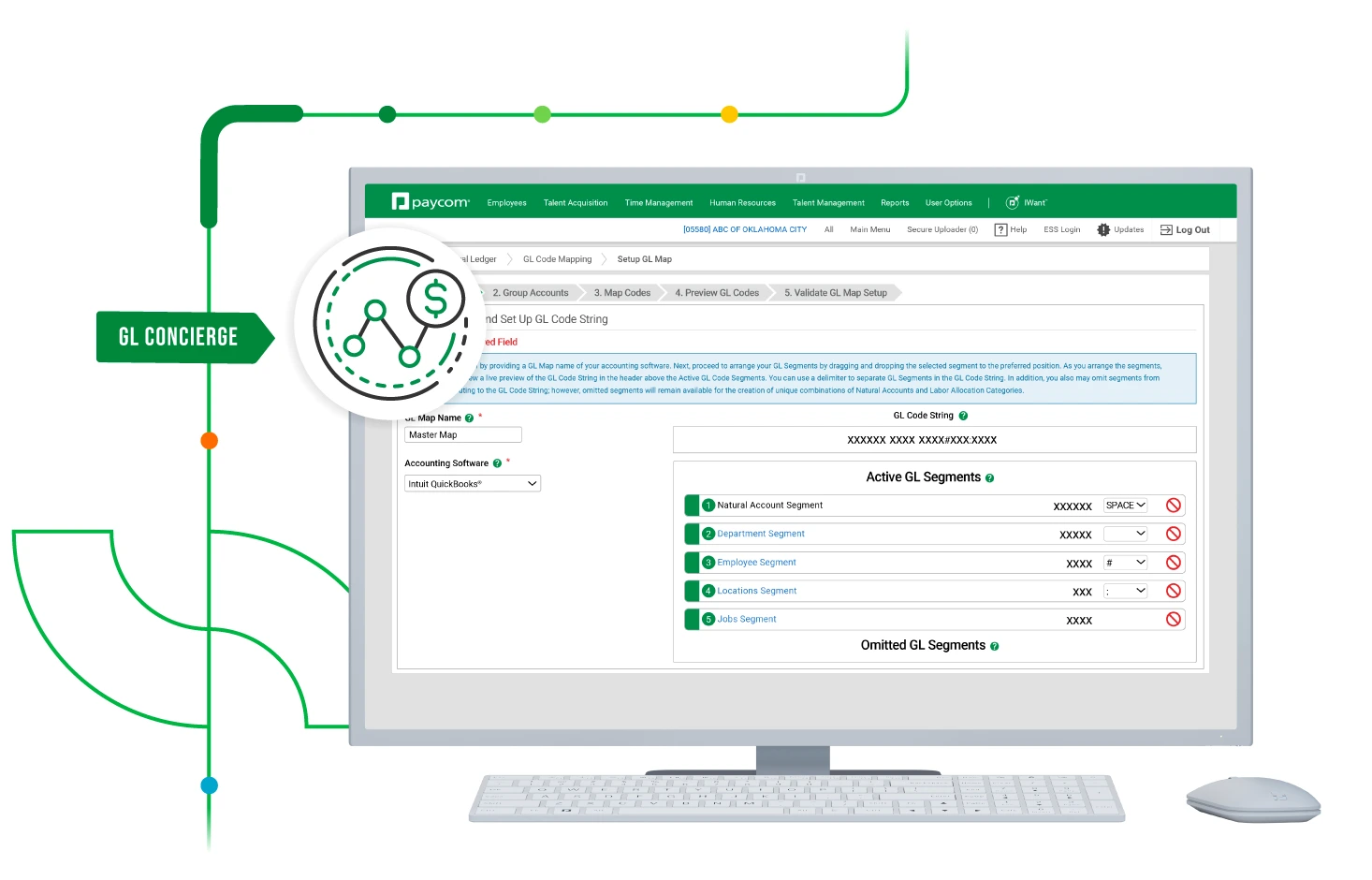
9. Paycom: Best for Businesses of All Sizes Wanting Efficient, AI-Enhanced Payroll and HR
Paycom is designed around payroll automation and HR integration, with a focus on reducing manual work and giving teams more self-service control. Users often highlight Paycom’s automation and modern features – like its AI-powered support and HR-GPT assistant – as strong points that make routine tasks easier. The single database model also helps keep payroll and HR data aligned.
That said, some companies find the platform expensive, especially smaller teams, and a significant investment in training is often needed to unlock its full value. Customer support experiences can vary, and integration with external tools sometimes requires workarounds.
Key Features Overview:
- Automated payroll processing with built-in compliance
- AI-assisted support for payroll and HR questions
- Integrated HR services and workforce management
- Employee self-service tools via mobile and web
- Advanced analytics and reporting
Pricing:
Custom pricing based on the scope of the organization.
Pros:
- Strong automation reduces manual work
- AI-enhanced support helps teams get answers quickly
- Unified payroll and HR data in a single system
- Detailed reporting and workforce insights
- User-friendly where fully implemented
Cons:
- Higher cost than many alternatives
- Training required to leverage advanced features
- Integrations outside core ecosystem can be limited
- Support quality varies by region and use case
- Contracts and termination fees can be restrictive
How to Choose the Right Payroll Service for Your Business
The right payroll provider is the one that fits how your team actually hires and operates. Global payroll gets complicated fast when you’re hiring across countries, working with different providers, and trying to stay compliant as rules change. Tools that look good on paper can struggle once real payroll runs start, especially if onboarding drags on or support is hard to reach.
That’s why many teams choose to outsource global payroll to a partner that combines reliable systems with people who understand the details on the ground. At Playroll, we help teams consolidate payroll operations while keeping visibility, accuracy, and control where it matters.
If payroll is starting to take up more time and attention than it should, you can book a chat with our team to talk through what a better setup could look like.

ABOUT THE AUTHOR
Jaime Watkins
Jaime is a content specialist at Playroll, specializing in global HR trends and compliance. With a strong background in languages and writing, she turns complex employment issues into clear insights to help employers stay ahead of the curve in an ever-changing global workforce.
Outsourced Payroll Companies FAQs
How much do payroll outsourcing solutions cost?

.png)
The cost of payroll outsourcing solutions depends on how complex your payroll is. Most providers charge a monthly base fee plus a per-employee cost, usually somewhere between $6 and $15 per employee per month, with higher costs if you’re running payroll across multiple countries or need extra compliance support.
Are payroll outsourcing companies compliant with local labor laws?
Yes, reputable payroll outsourcing companies are compliant with local labor laws, and staying that way is a big part of what you’re paying for. They track changes in tax rules, labor regulations, and reporting requirements so your payroll stays accurate and compliant without your team having to monitor every update themselves.
What’s the difference between payroll outsourcing and global payroll?
The difference between payroll outsourcing and global payroll is mostly about scale. Payroll outsourcing usually covers payroll in one country, while global payroll is designed for companies paying people across multiple countries and currencies, often with consolidated reporting and centralized oversight.
How do payroll outsourcing companies differ from PEOs or EORs?
Payroll outsourcing companies differ from PEOs or EORs in how much control you keep. With payroll outsourcing, you remain the legal employer and simply hand off payroll processing, whereas PEOs and EORs take on part, or all, of the employer responsibility, which can be helpful but also limits flexibility.

Back to Top
.svg)







.svg)